Verdict: a more useful local prototype, with public launch still ahead. The improved editor completed all seven supported follow-up edits in this small evaluation. It also declined a request for working gameplay without changing the map. This report is published; the editor itself remains a local experiment.
What was there before
The public Terrainio generator produces a complete downloadable Roblox place. The newer Map Studio is a separate browser-first prototype: one saved scene, a prompt box, selection, live geometry preview, undo, and export on demand. Its terrain consists of stylized native parts. It does not replace the production smooth-terrain workflow.
Sol plans structured changes; a deterministic compiler validates and applies them to the saved scene. The September 13 comparison favored retaining Sol over the tested DeepSeek configurations. That earlier work also showed that valid geometry alone does not prove the requested result was delivered.
Two failures reproduced immediately. “A snowy island with exactly three red cabins and no lighthouse” produced five houses and a lighthouse: creation used recipe keywords and ignored the details. After adding four lanterns, “make those lanterns twice as tall” failed because the planner’s limited context omitted their identities.
What changed
- Creation applies the brief. A starting layout is now provisional. AI customizes its counts, colors, removals and objects before it becomes the accepted map. An unsuccessful request preserves the previous map.
- Follow-ups retain their targets. Recently changed objects take priority in planning context. Recent requests, affected group identities and terrain peak coordinates help resolve references across turns.
- Height-only changes preserve width. Resizing can address separate axes. Unsafe deformation of rotated components is rejected instead of distorting the object.
- Recovery is visible and reversible. An object picker complements clicking the map. Recent changes are readable. New-map creation can be cancelled or undone; reload reconnects to a running request; failed and stale requests retain the draft.
- Unsupported requests get an explanation. The planner is instructed to decline a compound request it cannot fully deliver. The tested teleport-plus-sky request left the entire scene unchanged. This is tested behavior, not a guarantee of perfect interpretation.
The user journeys
Every follow-up used its own journey’s actual previous result. Prompts were written for this evaluation. No customer prompts or private generation receipts are published here.
| Journey | Sequence | Observed result |
|---|---|---|
| Snowy village | Three red cabins, no lighthouse → add four lanterns → make those lanterns twice as tall. | Exactly three house groups and no lighthouse. Four lantern groups added. Only their 20 component parts changed during resizing; width and depth stayed the same. |
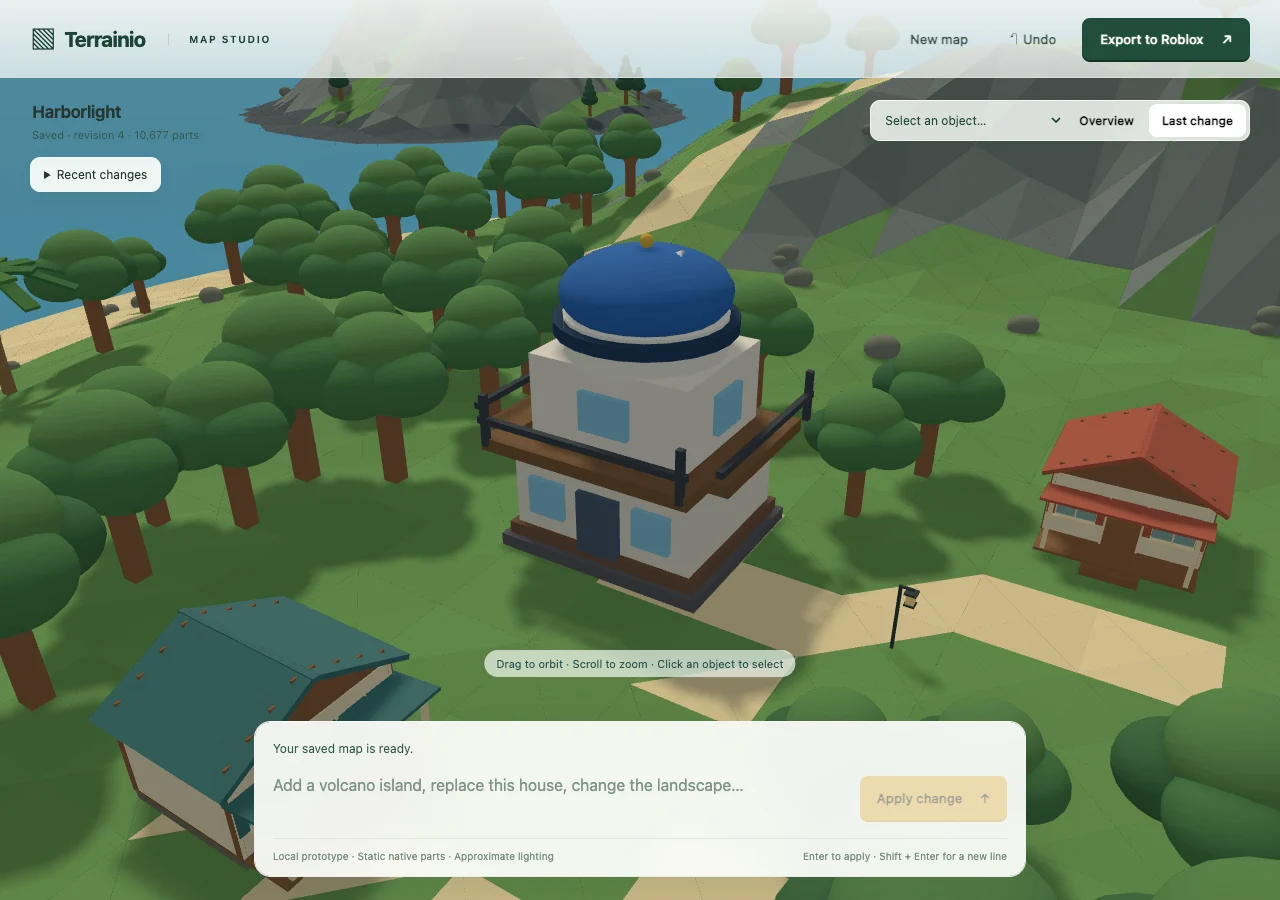
| Architecture | Select a cabin → replace it with a two-story observatory and blue dome → make its dome red → request a working teleport and purple sky. | Only the selected cabin’s 54 parts were removed; 26 observatory parts added. The next edit changed one dome part. The gameplay request was declined atomically. |
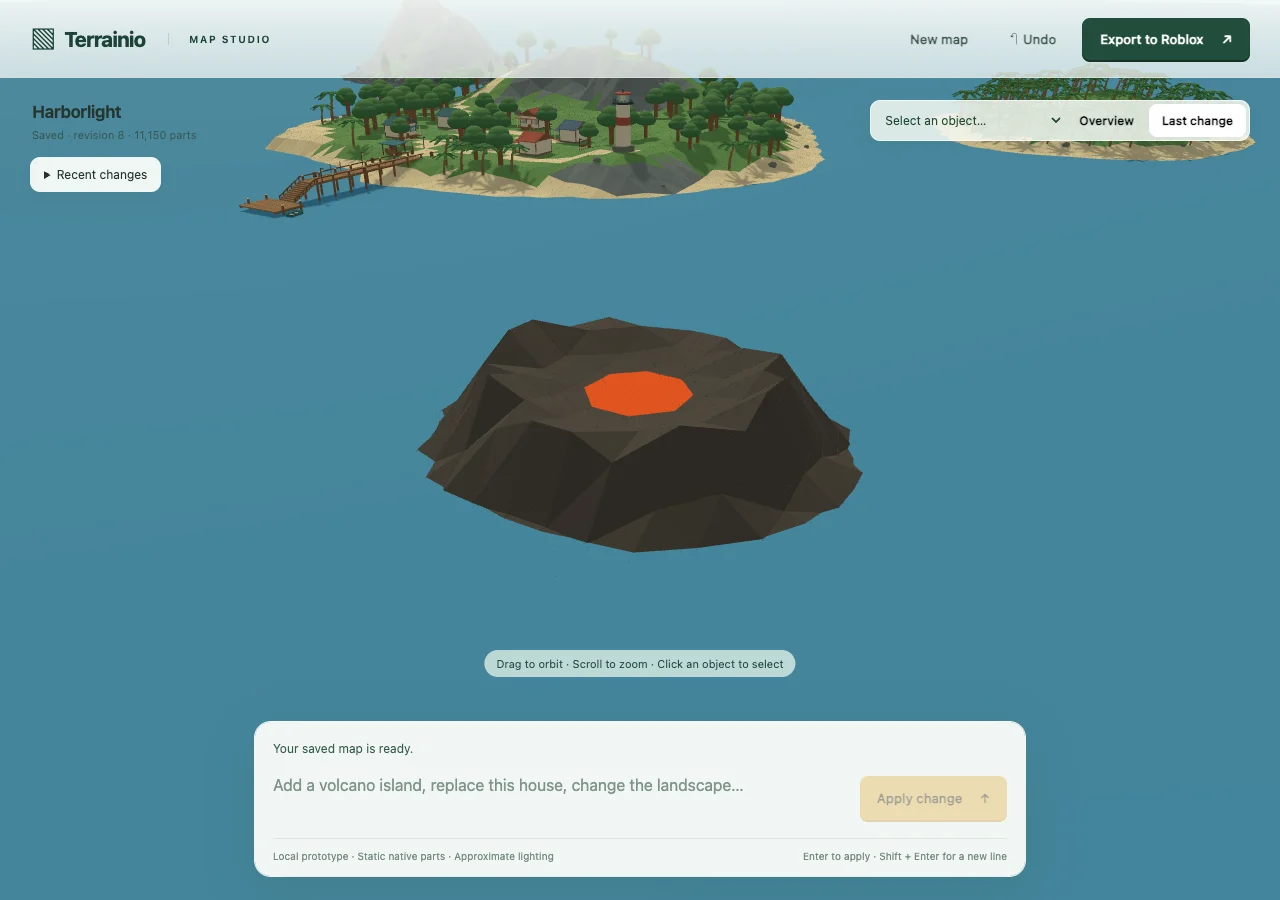
| Terrain expansion | Add a volcanic island → widen and shallow its crater with visible lava → add three pines on its southern slope. | The lava disc grew from 36 to 92 studs across; three pine groups were added. All 10,705 original map parts remained identical throughout. |
How good is it now?
It handles these small, concrete editing journeys usefully: create a constrained starting scene, add something, refer to it again, and preserve unrelated work. Visual review found a recognizable observatory, visible enlarged lava, and the requested additions. It is still a prototype-quality scene builder: buildings have simple geometry, terrain is faceted, lighting is approximate, and this review does not establish usable interiors or gameplay.
The fresh evaluation made 11 AI requests: three starting maps, seven supported edits, and one unsupported request. All ten supported actions were accepted. The seven follow-up edits took 6.7–28.7 seconds, with a median of 9.2 seconds. Usage-based API cost was $0.220, including the decline; the earlier failing baseline added $0.050. These are observed API costs for a small sample, excluding hosting and other costs—not subscription prices or reliability guarantees.
The relevant backend suite passed 135 tests, and ten browser recovery/control checks passed on desktop and mobile. All 11 saved checkpoints rendered without browser errors. Three final downloads matched the accepted scenes byte-for-byte under the deterministic serializer; independent XML checks compared identities, positions, sizes, rotations, colors, transparency and collision settings for 32,442 parts. Native Roblox Studio visual and play verification remains open.
How to test it
- Use a fresh local storage directory. Create the snowy island with exactly three red cabins and no lighthouse. Check the count and absence before editing.
- Add four lanterns, then request “Make those lanterns twice as tall. Keep everything else unchanged.” Compare their width and the cabins.
- Select a cabin using the picker or viewport. Replace it with the observatory, then change only its dome. Inspect the recent-change history.
- Run the volcano sequence in a separate starting map. Compare the original village before and after every edit.
- Reload during an edit, try an unsupported request, and try a stale second tab. Verify the draft and accepted map remain recoverable. Cancel a new map, then create another and undo it.
- Export the accepted revision, open it in Studio, and verify visuals, collision, spawn and navigation before using it in a game.
From the backend checkout, automated checks and the real-request journey runner are:
.venv/bin/python -m pytest tests/test_editor_journeys.py tests/test_web_first_editor.py tests/test_web_first_general_api.py tests/test_web_scene_patch.py tests/test_web_scene_planner.py -q

python3 scripts/evaluate_editor_journeys.py   --url http://127.0.0.1:8787 --phase improved   --output artifacts/my-editor-evaluation
The second command makes paid AI requests against the separately running editor. Use a fresh output directory and an isolated server storage directory. Each create/edit request retains the $0.20 ceiling and at most one correction. Authentication or quota failures stop the evaluation. Offline fixture tests and real AI evidence are recorded separately.
How to launch it
Use the backend checkout containing the September 18 editor changes, its existing Python environment,
and a server-only OPENAI_API_KEY in the ignored .env file:
.venv/bin/python scripts/run_web_first_editor.py --port 8787 --storage artifacts/my-map-studio
Open http://127.0.0.1:8787 on that computer. Reuse the storage directory to keep revisions. --offline runs the older recipe/command demonstration and does not exercise general AI creation or editing.
A public editor launch still needs authenticated project ownership, isolation between users, durable hosted revisions and jobs, defined editing allowances, resource limits, native Studio verification, and a tested deployment/rollback path. The local server is deliberately loopback-only. Publishing this report does not expose it to customers or change production billing.